Press kit
Facts and files for writing about Writecast.
About
Writecast is a tool for scheduling posts to Facebook Pages and LinkedIn.
Facts
- Name: Writecast (one word)
- Networks today: Facebook Pages, LinkedIn
- Plans: Starter (free), Pro, Business
- Free plan: Starter, with limits. No card needed to start.
- Website languages: English, Bangla
- Not supported: posting to personal Facebook profiles
Logo
Placeholder logo. Replaced when the brand is final.
Colours
Boilerplate
Copy these as they are. Pick the length you need.
One line
Writecast is a tool for scheduling posts to Facebook Pages and LinkedIn.
Short
Writecast is a tool for writing posts and scheduling them to Facebook Pages and LinkedIn. You choose the date and time, set the times you like to post each week, and keep drafts for later. Starter is free, with limits. Larger plans are named Pro and Business.
Long
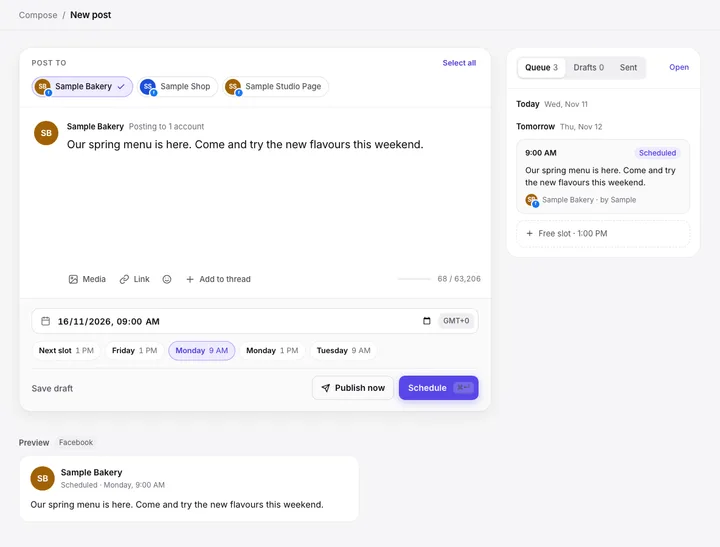
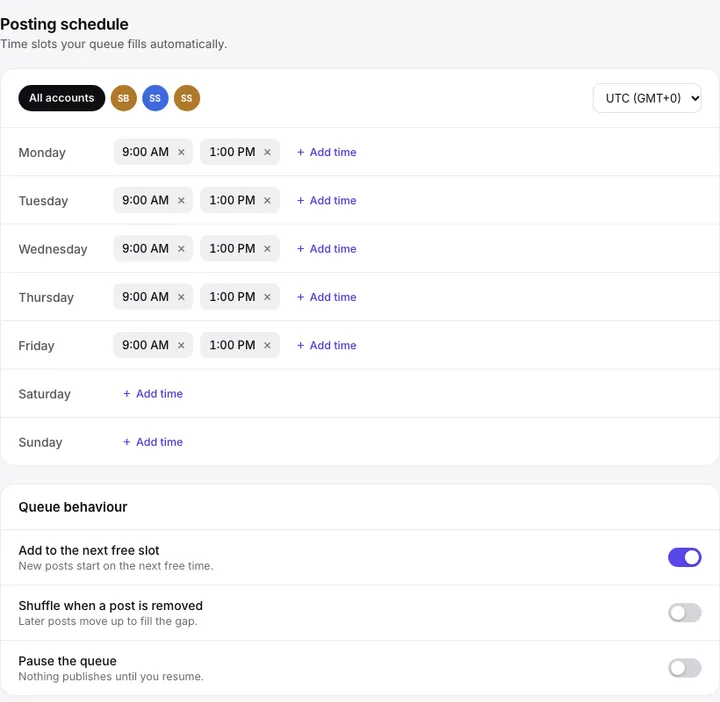
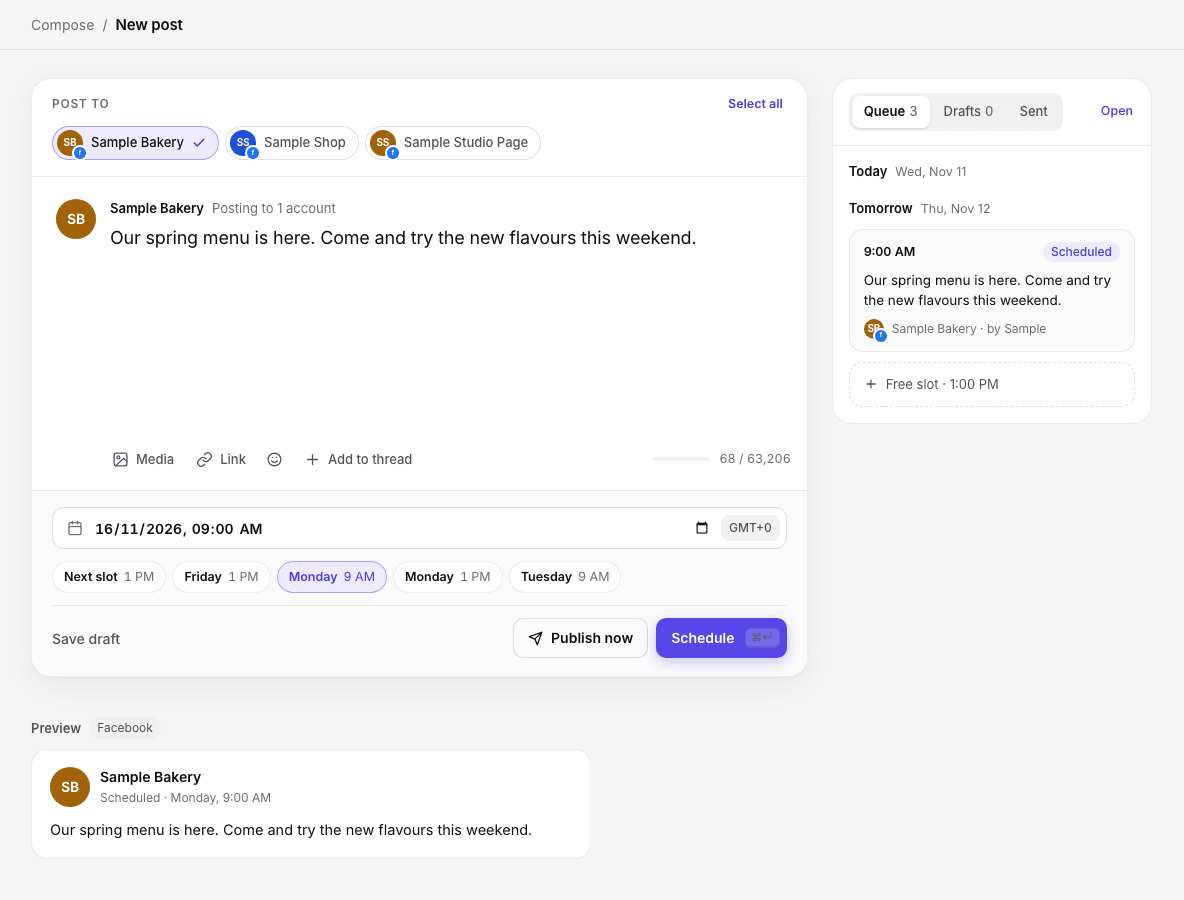
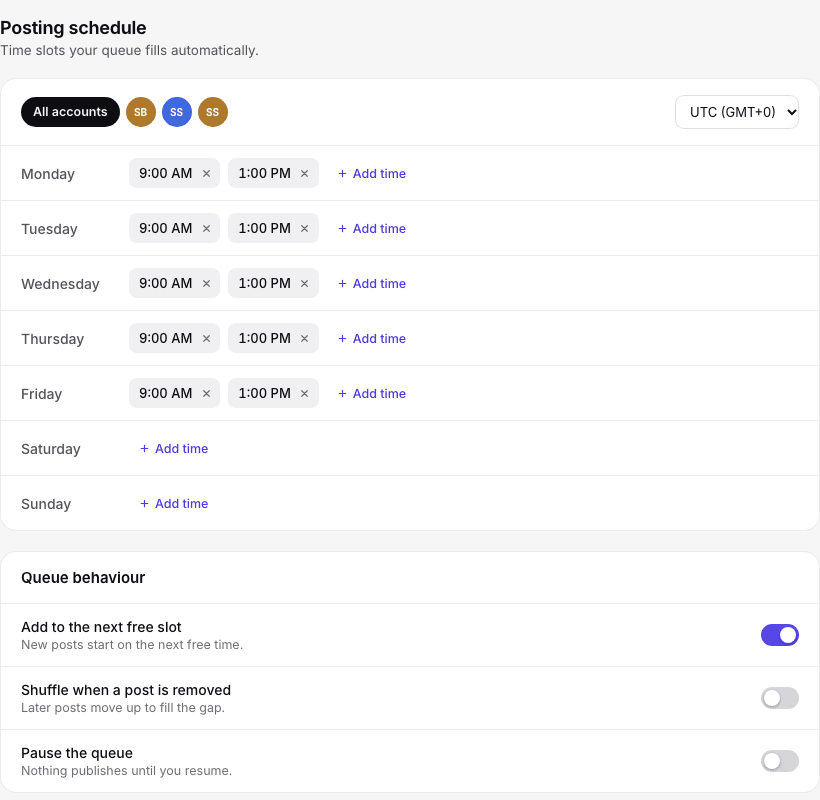
Writecast is a tool for writing posts and scheduling them to Facebook Pages and LinkedIn. Write a post once, pick one account or several, choose a date and time, and Writecast publishes it for you. Set your posting times for the week, and a new post can take the next free time. Save half-written posts as drafts and come back to them later.
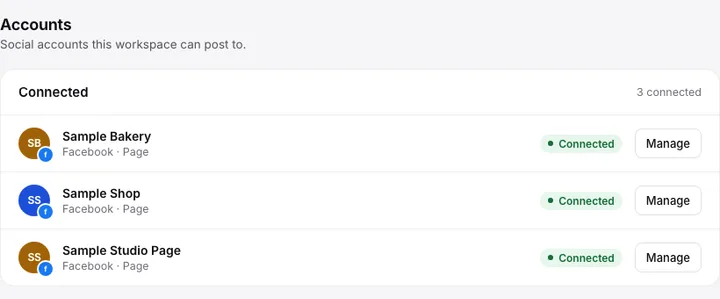
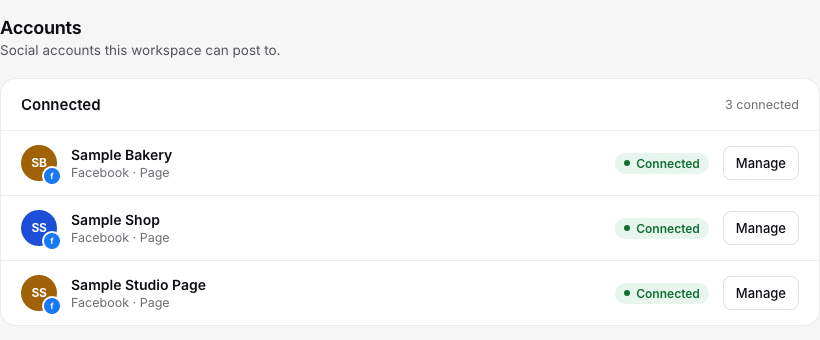
Writecast posts to Facebook Pages you manage. It does not post to personal Facebook profiles. Starter is free, with limits. Larger plans are named Pro and Business. This website has pages in English and in Bangla.
Screenshots
Screenshots of the app, taken with sample accounts and sample posts. Use them when writing about Writecast.
Download the logo files




Contact
Contact details will be added here.